Changing time in Windows Vista or later
If you are running Vista or later with User Account Control (UAC) turned on,
the following message appears before system data and time is changed:
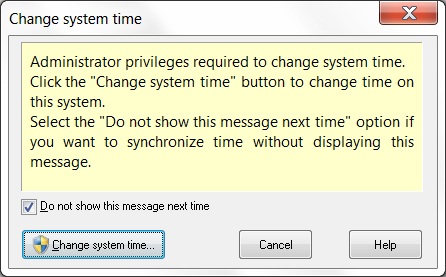
Click the picture to enlarge.
Because administrator privileges are required to change system time, you have
to click Change system time button to allow Advanced Time Synchronizer
to act as administrator. If you are running under non-administrator account,
you will be prompted for administrator password.
You can select Do not show this message next time option
before clicking the Change system time button,
if you want to synchronize time without displaying this elevation prompt.
Alternatively, you can avoid this elevation prompt by installing Advanced Time Synchronizer Service
manually as described in the Changing system time topic.
Categories: Manual








Leave a Reply
You must be logged in to post a comment.